
Want AI to help, but the data isn't ready for it?
AI layered over messy records simply produces confident nonsense. Get the process and the data right first, then let AI answer questions and handle the routine follow-ups your team does today.
Sort out ai readinessThe symptoms you know already.
- No single, current record for customers, jobs or stock
- Different teams keeping their own version of the same facts
- Documents, emails and notes that AI could not search even if it were connected
- Tools tried and abandoned because the answers could not be relied on
- AI projects stall at the pilot stage
- People stop trusting anything the system says
- Time is spent checking answers instead of acting on them
Not another tool. A different process.
Fix the record before the model
We establish one reliable source for the information AI would be asked about.
Set the boundaries
Access rules decide what AI can see and for whom, so nobody answers a question they should not be able to.
Start with useful questions
Customer performance, overdue work, ageing stock, jobs at risk — the questions you ask every week.
Keep a human in the loop
AI drafts, summarises and flags; people approve. Nothing customer-facing goes out without a decision.
One job, start to finish.
Screens show the Workbie demo system with dummy data in an example configuration. Outcomes describe how the process changes, not measured customer results.
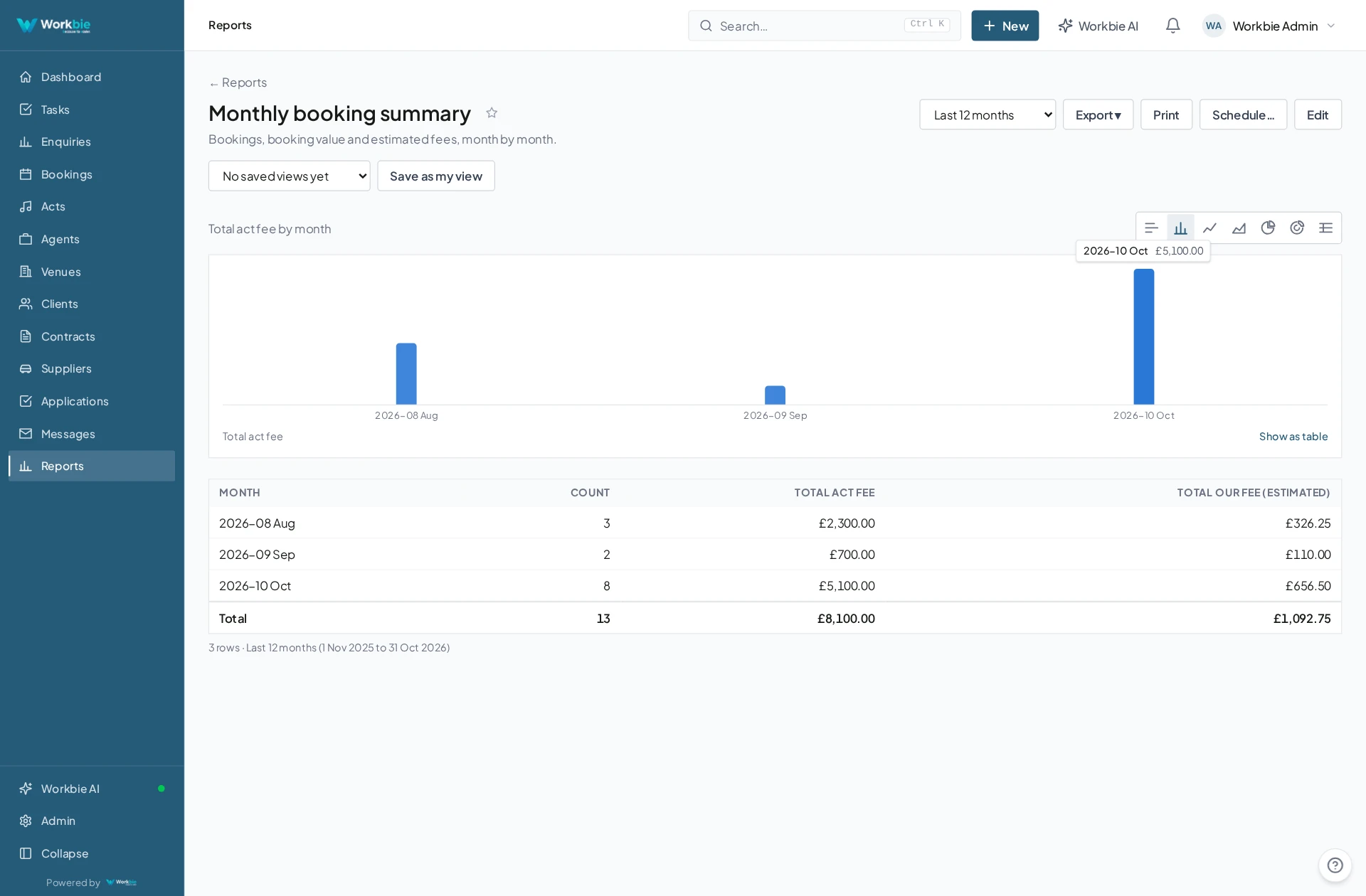
- Records are captured consistently in one system
- Access rights decide what each person and each assistant can reach
- Questions are asked in plain English
- Answers cite the underlying records so they can be checked
- Routine follow-ups are drafted for approval
In the office. Out in the field.
The same connected picture.
Your team’s work does not stop at a desk. Bring the relevant records, schedules and work details with you — on site, between visits or at a customer’s premises.
- See the work and appointments that matter to you
- Find linked dates, locations and contact details
- Keep office and mobile teams working from the same system
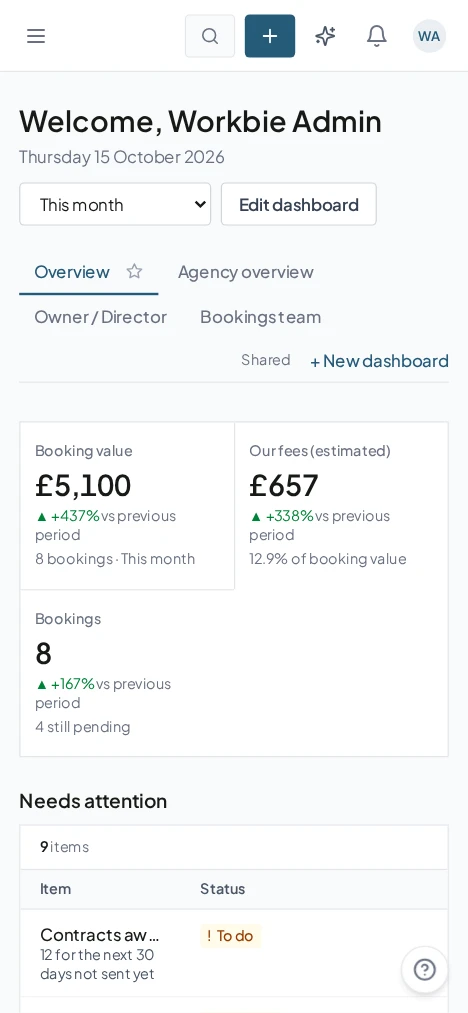
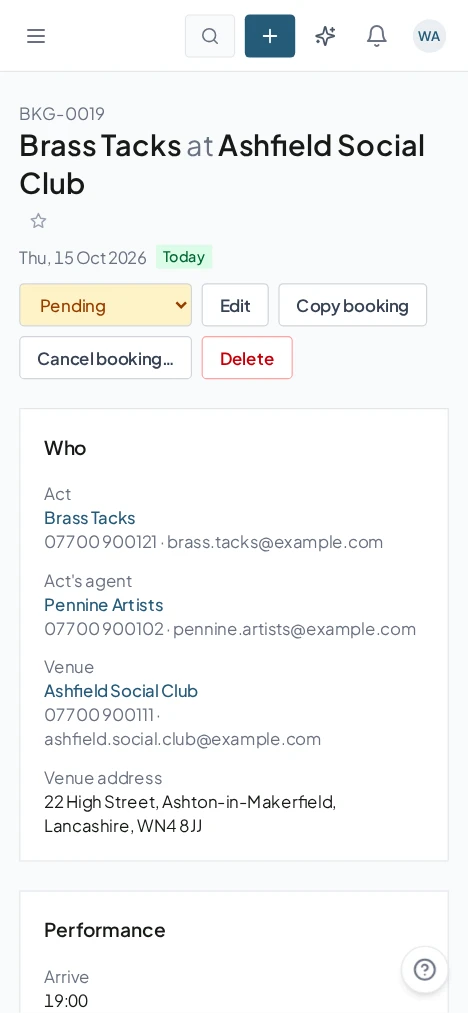
Captured from the Workbie demo system · dummy agency data, not customer results. Menus and workflows vary by configuration.
The practical difference.
- Answers you are willing to act on
- Faster responses to the questions you ask every week
- Routine drafting handled without losing control
- A data foundation that keeps improving as you use it
Where this gets built.
Before you ask us about it.
Does AI see everything in our system?
No. AI works within the same access rules as your people, so it can only reach the records the person asking is entitled to see.
Is our data used to train anything?
Your records stay yours. Data-processing, retention and hosting arrangements are confirmed for your project during the design stage rather than assumed.
Let’s untangle your workflow.
Tell us what’s slowing you down. We’ll help you find the right starting point.