
Too many systems, and none of them talking?
Accounts in one place, jobs in another, rotas in a third, and email holding all of it together. Workbie connects what already works and retires what does not.
Sort out connected systemsThe symptoms you know already.
- The same customer held in two or three systems
- Monthly reconciliation between an accounts package and operational records
- Tools bought to fix one problem that created another
- Licences paid for software nobody opens
- Staff re-key between tools every day
- Two systems disagree and nobody knows which is right
- Software spend grows without anyone seeing the whole picture
Not another tool. A different process.
Inventory what you already pay for
We list every system, who uses it and what it genuinely holds.
Decide what stays, what connects, what goes
Some tools are worth keeping and connecting. Others are retired once their information has a better home.
Connect properly
Sage, Xero and QuickBooks, Outlook and Microsoft 365, calendars and other platforms are linked with agreed data flows, not manual exports.
Give people one starting point
Work becomes the centre of the day, with connected information behind it.
One job, start to finish.
Screens show the Workbie demo system with dummy data in an example configuration. Outcomes describe how the process changes, not measured customer results.
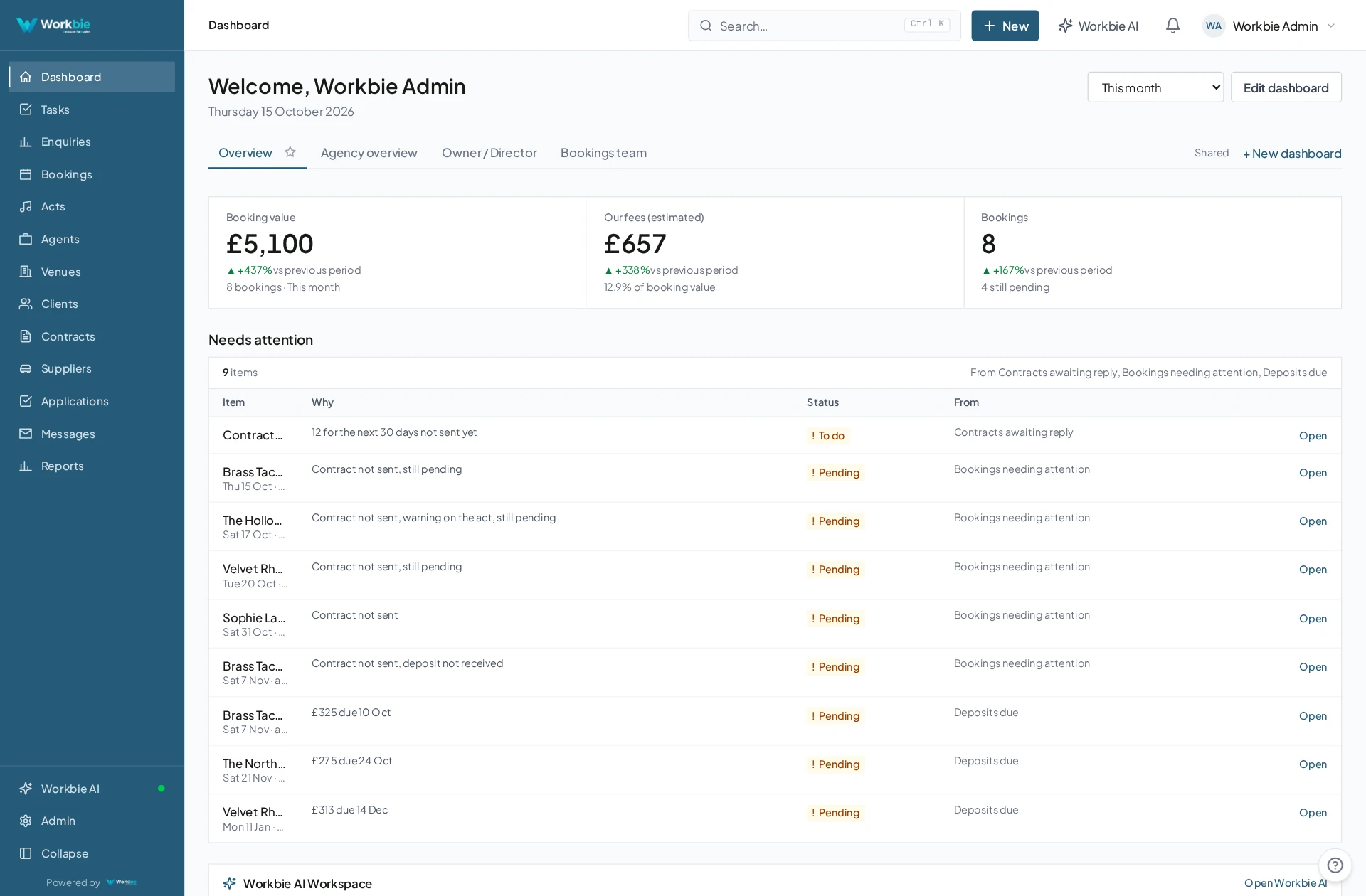
- Customer, job and staff records live in one place
- Finance information is connected from your accounts package
- Emails and calendar bookings attach to the job they belong to
- Documents and forms sit with the relevant record
- Reporting spans all of it without exports
In the office. Out in the field.
The same connected picture.
Your team’s work does not stop at a desk. Bring the relevant records, schedules and work details with you — on site, between visits or at a customer’s premises.
- See the work and appointments that matter to you
- Find linked dates, locations and contact details
- Keep office and mobile teams working from the same system
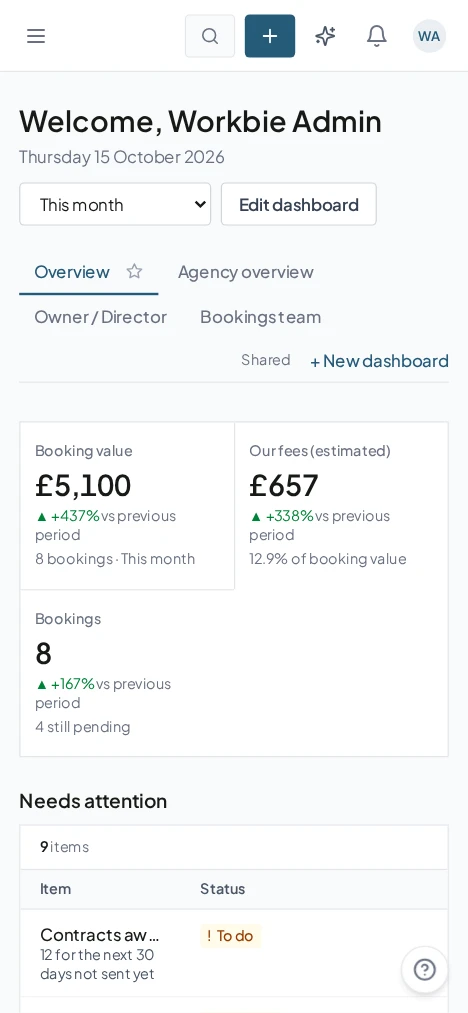
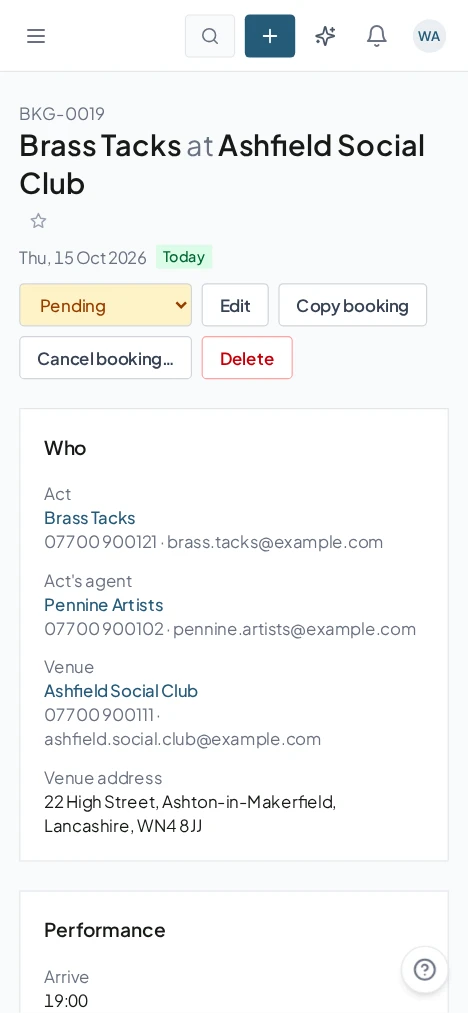
Captured from the Workbie demo system · dummy agency data, not customer results. Menus and workflows vary by configuration.
The practical difference.
- One system to start the day from
- No re-keying between tools that should already know
- A clearer reason to keep or retire each piece of software
- Finance, operations and customers on the same record
Where this gets built.
Before you ask us about it.
Do we have to replace our accounts software?
No. Most businesses keep their accounts package and connect it, so invoices, payments and costs sit alongside jobs and customers.
What if a system cannot be connected?
Then we design around it: structured imports, forms or a documented manual step, agreed with you before anything is built.
Let’s untangle your workflow.
Tell us what’s slowing you down. We’ll help you find the right starting point.