
Work waiting on a handover nobody owns?
Office to site, sales to delivery, front desk to workshop. Every handover is a chance for details to be lost, and in most businesses it is where the delay really lives.
Sort out handoversThe symptoms you know already.
- Updates live in a thread the next person never reads
- The only record of a decision is a conversation
- Nobody can say who currently holds the job
- Customers repeat the same details to several people
- Work waits while people find out what has already been agreed
- Accountability disappears at the point of transfer
- The customer experiences your internal disorganisation
Not another tool. A different process.
Follow one job end to end
We trace a single piece of work across teams and note every point where information changes hands.
Give every stage an owner and a status
Each job shows who holds it, what is outstanding and what happens next.
Keep the context with the work
Emails, calls, photos, documents and notes attach to the job rather than to an inbox.
Let clients see their own progress
A scoped portal shows customers their quotes, jobs and tasks, so they stop asking for updates you already have.
One job, start to finish.
Screens show the Workbie demo system with dummy data in an example configuration. Outcomes describe how the process changes, not measured customer results.
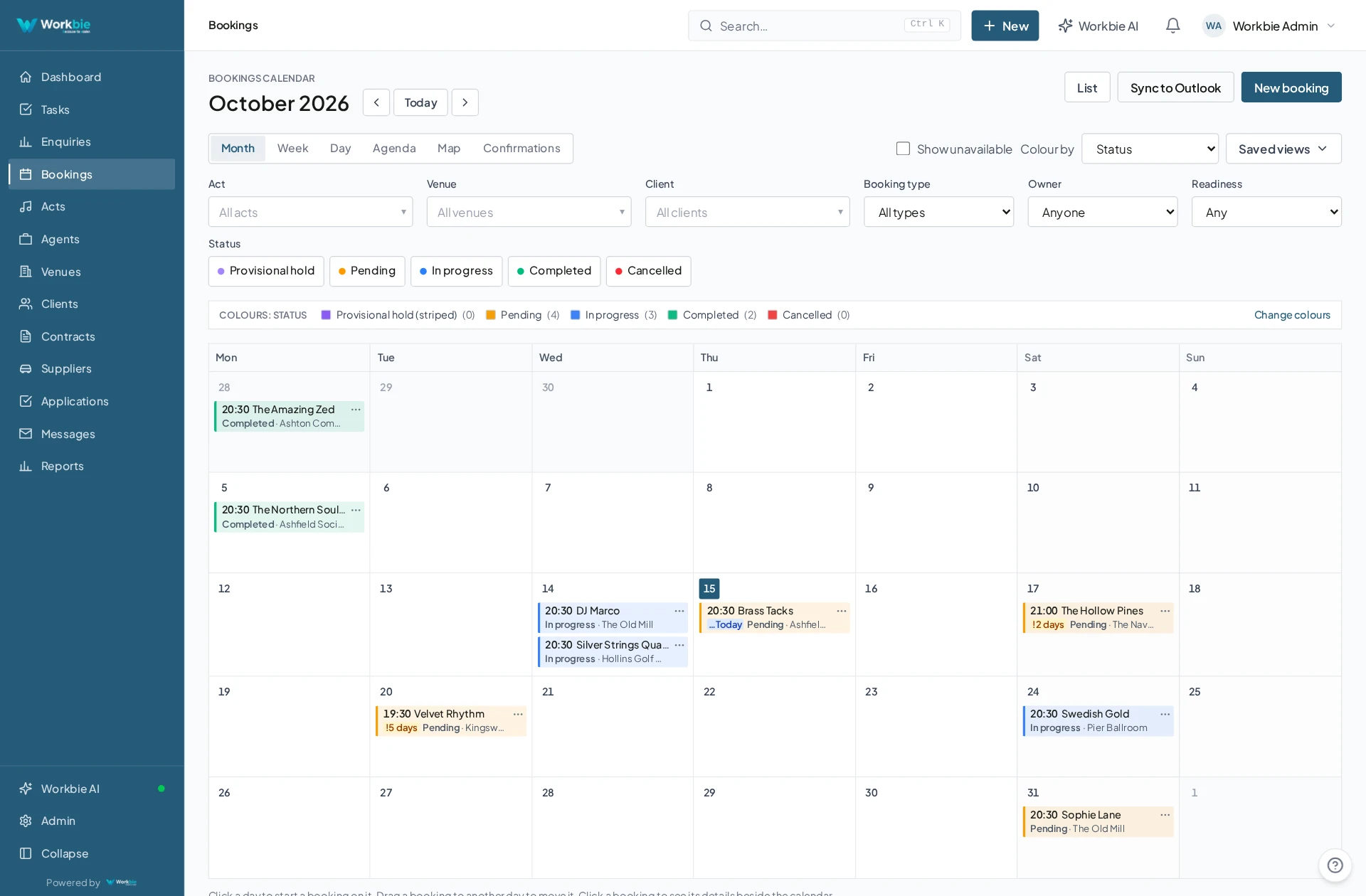
- Work is logged with an owner and a stage
- Handovers change the stage and notify the next person
- Emails and field updates attach to the same job
- The customer sees their own status in the portal
- The full history is available if anything is queried later
In the office. Out in the field.
The same connected picture.
Your team’s work does not stop at a desk. Bring the relevant records, schedules and work details with you — on site, between visits or at a customer’s premises.
- See the work and appointments that matter to you
- Find linked dates, locations and contact details
- Keep office and mobile teams working from the same system
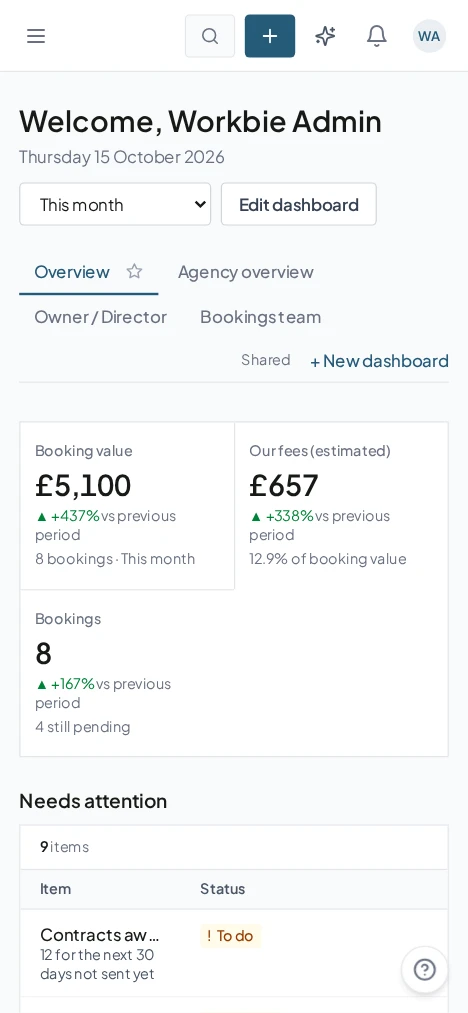
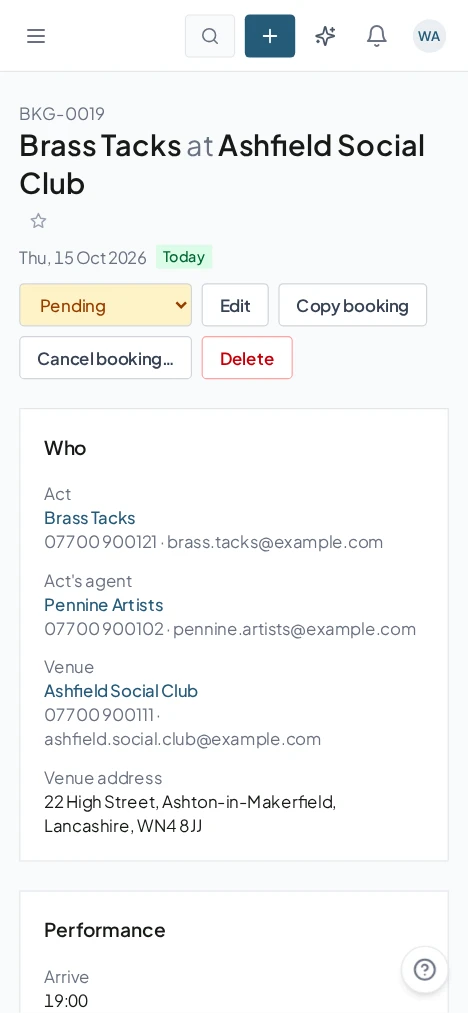
Captured from the Workbie demo system · dummy agency data, not customer results. Menus and workflows vary by configuration.
The practical difference.
- Everyone can see who holds what, right now
- Less re-explaining, inside the business and to customers
- Fewer jobs waiting unnoticed on someone's desk
- A clear record of what was agreed and when
Where this gets built.
Before you ask us about it.
Will staff have to learn a completely new way of working?
The system is configured around the process your team already follows, with the awkward parts removed. Training is included and is delivered on the version built for you.
Can customers really see their own jobs?
Yes. Client portals are scoped so each customer sees only their own quotes, invoices, tasks and projects, and nothing else.
Let’s untangle your workflow.
Tell us what’s slowing you down. We’ll help you find the right starting point.