
Doing the same admin again and again?
Copying details from an email into a job, then into a spreadsheet, then into an invoice. Each step is small, and together they take hours every week and create errors nobody has time to catch.
Sort out manual adminThe symptoms you know already.
- The same information typed into three places
- Chasing people for updates that should already be recorded
- Email used as the task list, so nothing has a clear owner
- Copy and paste between screens to complete one job
- Skilled staff spend part of every day on re-keying
- Something gets missed and the customer notices before you do
- Nobody can say how long a job actually takes to complete
Not another tool. A different process.
Map the steps, not the software
We follow one job from first contact to completion and write down every handover, re-entry and chase.
Remove the steps that add nothing
Before anything is automated, the process is simplified — copying a bad process into a system just makes it faster.
Automate what is safe to automate
Status changes, reminders, document generation and follow-ups run automatically, with human approval kept where judgement is needed.
Keep the record as the by-product
The work itself updates the system, so nobody has to fill in a second log at the end of the day.
One job, start to finish.
Screens show the Workbie demo system with dummy data in an example configuration. Outcomes describe how the process changes, not measured customer results.
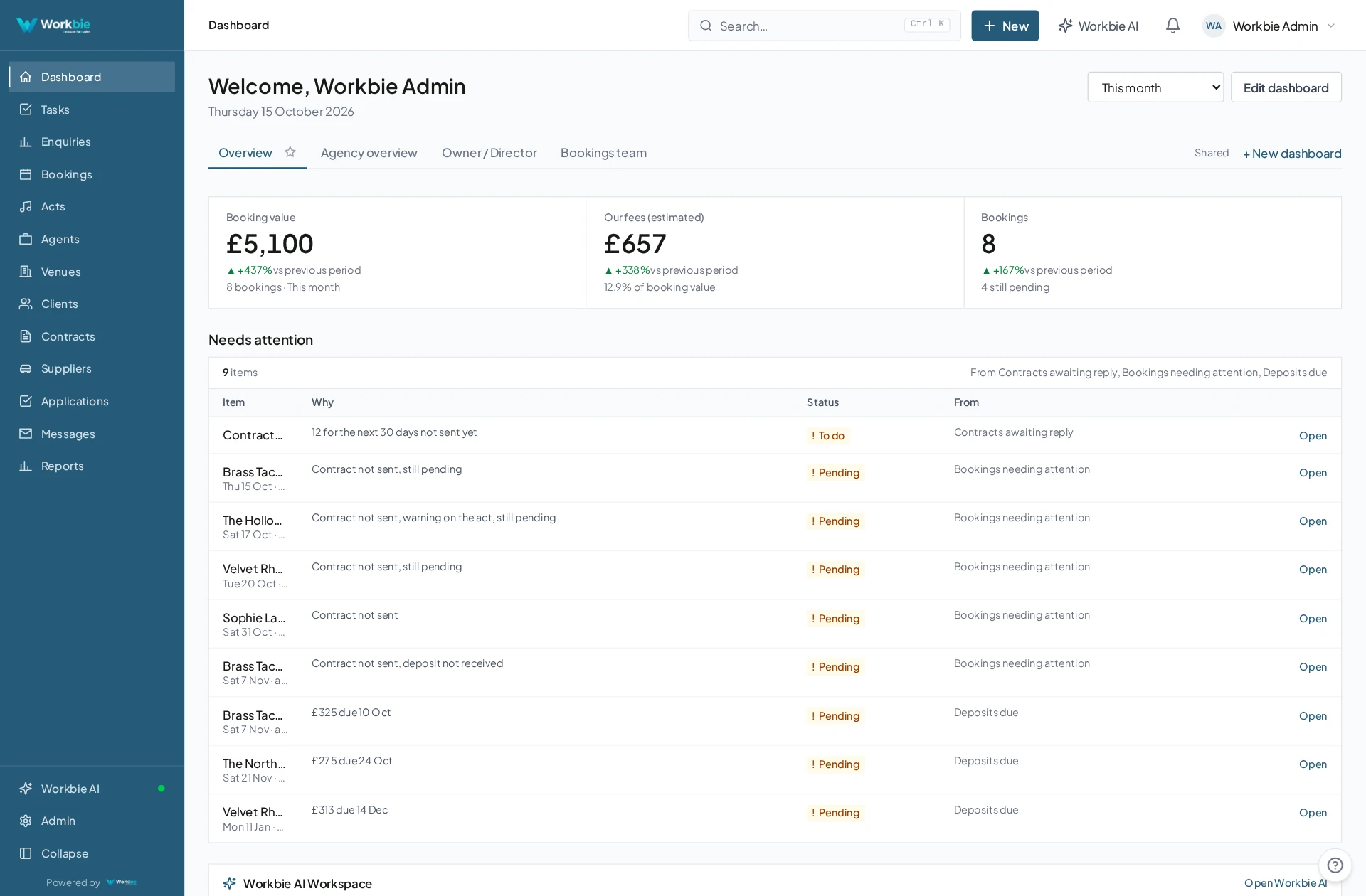
- An enquiry or request arrives and is logged once
- Tasks and owners are assigned from that record
- Updates from email, phone or field staff attach automatically
- Documents and follow-ups are generated when a stage is reached
- The job closes with its full history already recorded
In the office. Out in the field.
The same connected picture.
Your team’s work does not stop at a desk. Bring the relevant records, schedules and work details with you — on site, between visits or at a customer’s premises.
- See the work and appointments that matter to you
- Find linked dates, locations and contact details
- Keep office and mobile teams working from the same system
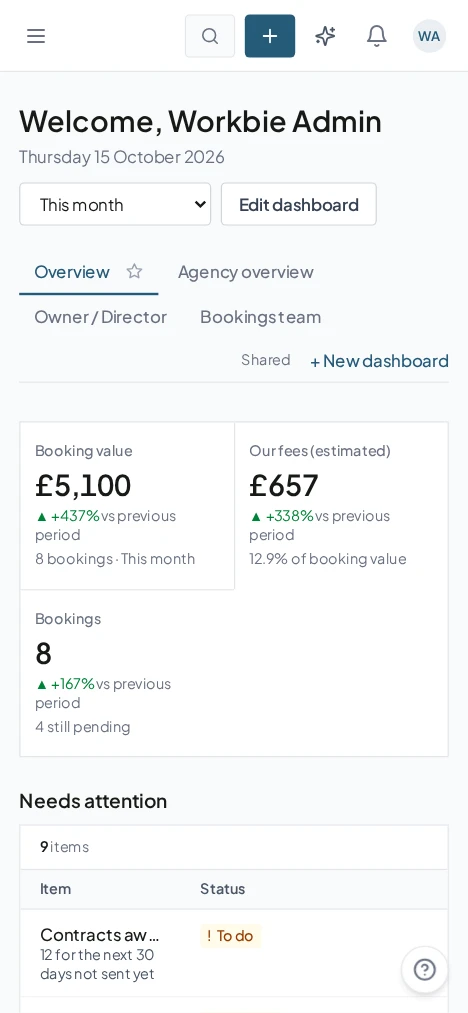
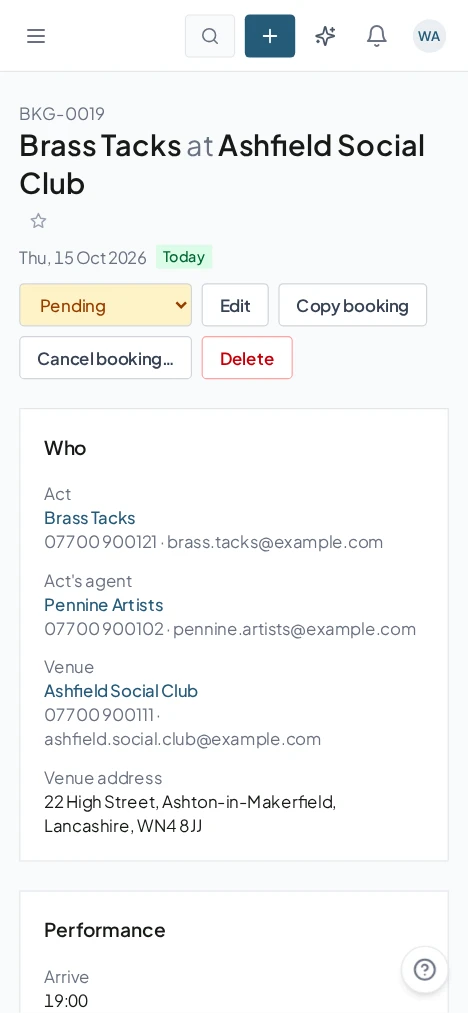
Captured from the Workbie demo system · dummy agency data, not customer results. Menus and workflows vary by configuration.
The practical difference.
- Information entered once and carried through the job
- Clear ownership, so nothing waits on an unnamed task
- Less chasing, because progress is visible
- Staff time goes back into the work that earns money
Where this gets built.
Before you ask us about it.
Will automation make mistakes we have to clean up?
Automation is only switched on where the outcome is predictable, and approval steps stay with a person. Anything requiring judgement is flagged for review rather than completed silently.
How do you decide what to automate first?
We start with the highest-volume, lowest-judgement steps found during the audit — the ones your team repeats dozens of times a week.
Let’s untangle your workflow.
Tell us what’s slowing you down. We’ll help you find the right starting point.